Key Takeaways
• Selecting the right seo tool comes down to your operational goals rather than vanity metrics or shiny software dashboards.
• Basic optimization steps—such as refining title tags and establishing a clean backlink profile—frequently outperform expensive automated software.
• Tool overload is real; over-relying on automated metrics without human sanity checks leads to wasted budget and misdirected effort.
• Combining native analytics platforms with focused technical crawlers gives local and national service businesses the clearest roadmap to top rankings.
Table of Contents
Understanding the Modern SEO Tool Ecosystem
Core Capabilities Every Tool Suite Should Possess
SEO Tool Traps: Don't Do This
All-in-One Platforms vs Specialized SEO Tools
How to Choose and Implement the Right SEO Stack
Frequently Asked Questions
Final Verdict and Strategic Growth Recommendations
Understanding the Modern SEO Tool Ecosystem
Selecting an effective seo tool feels a bit like shopping for a sports car when all you need is a reliable truck to deliver goods across town. Having worked with dozens of e-commerce platforms and SaaS brands over the years, I have seen one constant truth: marketers love collecting expensive software subscriptions. But software alone does not rank pages—strategy does.
You know what’s funny? I once audited a legal client who was spending over $3,000 every month on high-tier software packages. Despite that massive investment, their organic traffic was completely stagnant. Why? Because nobody had checked their core technical setup, and an erroneous rule in their file was accidentally blocking their primary conversion pages from search engine indexing. They had all the dashboards in the world, yet missed the most elementary technical roadblock.
What an SEO Tool Actually Does Under the Hood
At its fundamental level, any search software operates by crawling web pages, querying database indexes, and parsing search engine results pages—commonly known as the SERP. The platform gathers millions of data points across query volume, ranking positions, and linking structures to give you an estimate of how search engines perceive your site.
• Web Crawling: Simulates search engine bots to identify broken links, redirect loops, and missing metadata.
• Database Scraping: Tracks millions of queries across regional search indexes to evaluate visibility.
• Link Graph Construction: Maps relationships between sites to measure relative domain authority and anchor text distributions.
The Role of Search Analytics and SERP Data
Raw SERP data tells you where you stand today, but raw figures mean nothing without context. Effective tools take raw query positions and convert them into estimated click-through rates (CTR). High rankings for terms with low commercial intent won't move the needle for your business's customer lifetime value (LTV).
When evaluating search software, you need visibility into how local search behavior differs from national trends. For businesses looking for tailored strategic support, integrating smart internet marketing SEO services ensures that the data gathered by your software actually translates into qualified revenue leads.
Real-World ROI from Proper Tool Stack Implementation
When used correctly, a software platform serves as a diagnostic engine rather than a magic button. It reduces the time required to perform a comprehensive site audit from days to minutes.
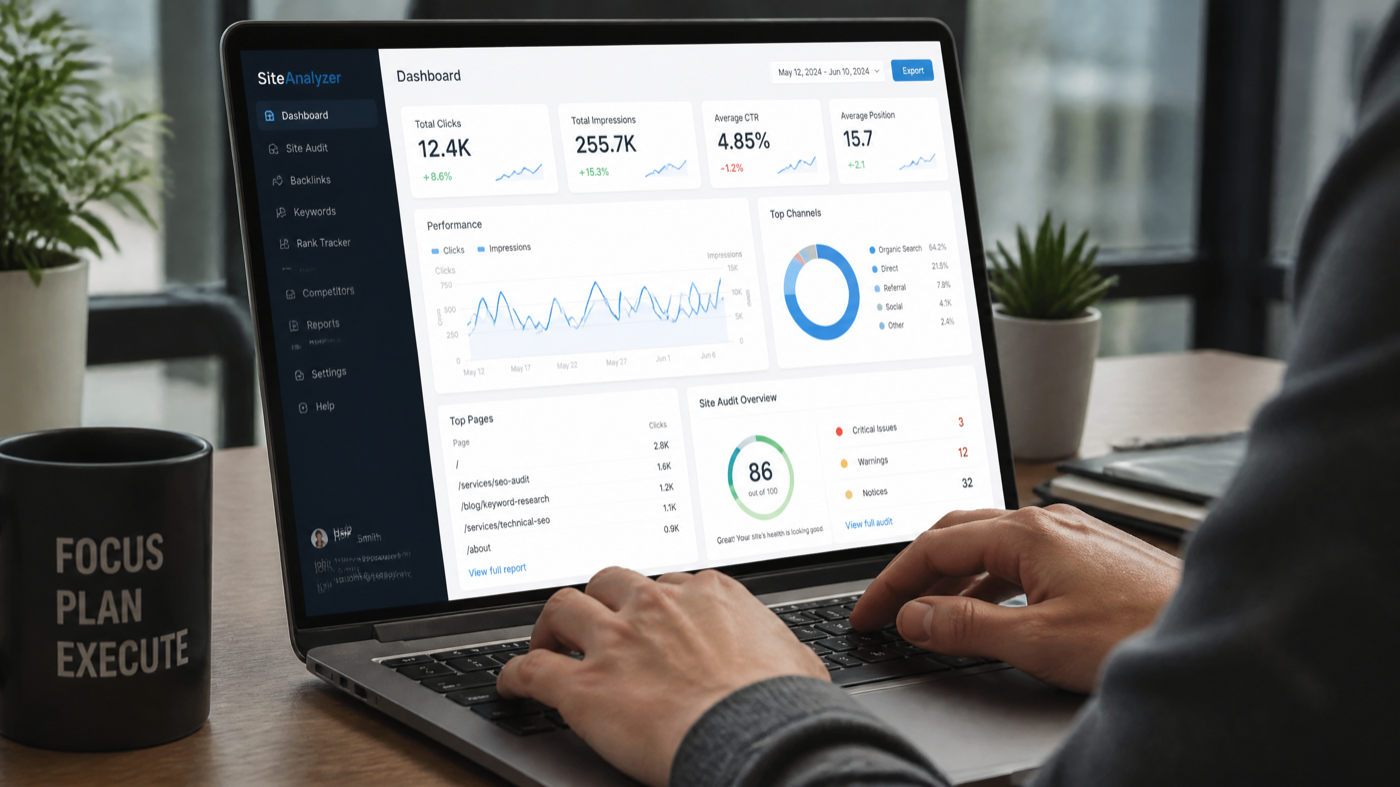
However, software cannot write human-first copy or fix poor conversion pathing on your landing pages. It simply points out where technical debt is accumulating and where content opportunities exist.
Core Capabilities Every Tool Suite Should Possess
Not all platforms are created equal, but any platform worth your monthly subscription must handle four primary functions effectively.
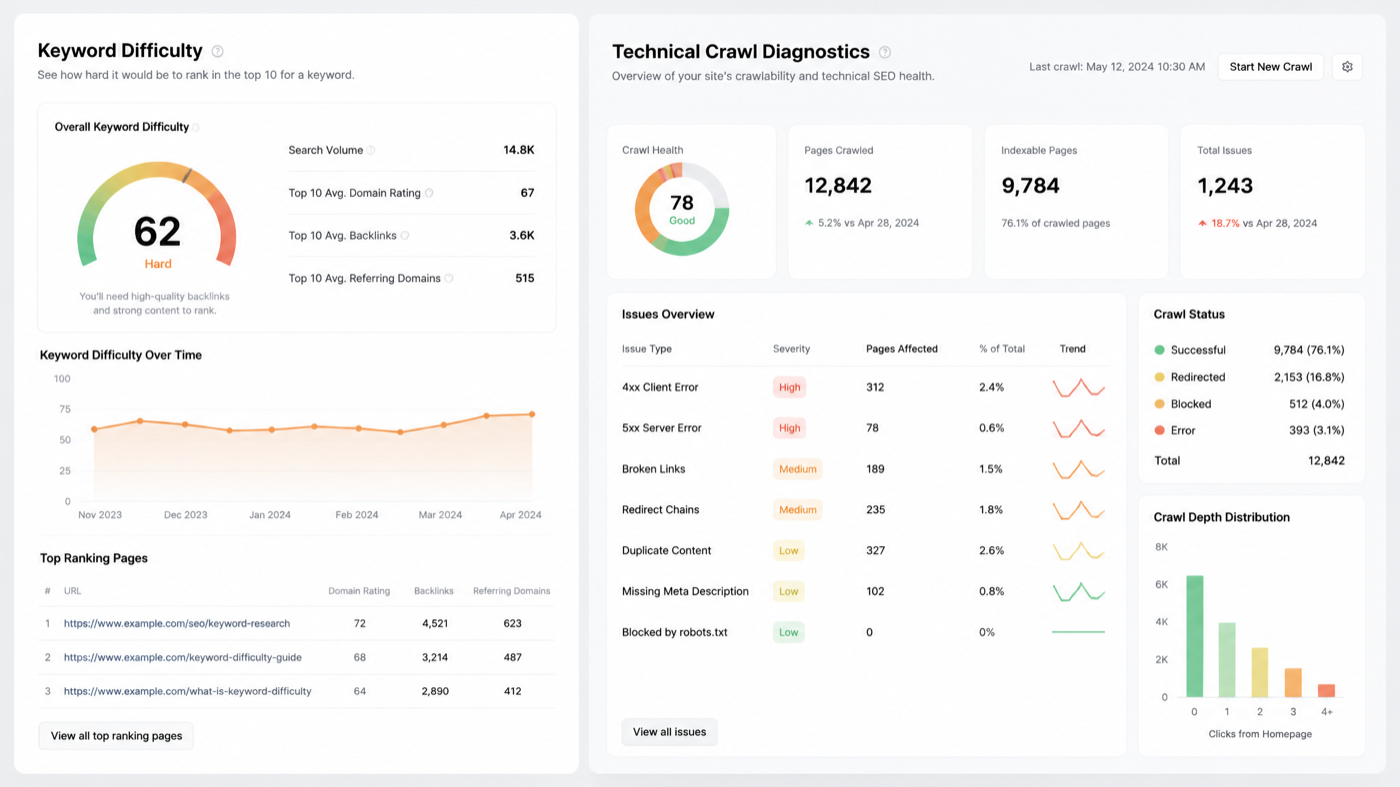
Technical Site Audits and Crawl Diagnostics
A robust diagnostic feature scans your site architecture for indexability issues, duplicate content, slow load times, and broken links. It highlights errors that prevent search bots from discovering your highest-value pages.
• Crawl Depth Analysis: Identifies pages buried too deep within your directory structure.
• Canonical Tag Checks: Ensures self-referencing and cross-domain canonicals are implemented properly.
• Core Web Vitals Assessment: Highlights performance bottlenecks that negatively impact user experience and rankings.
Keyword Research and Intent Classification
Many people overthink keyword research; often, the best keywords are the ones that just make sense for your audience. You do not need thousands of complex variations. You need a clean group of transactional and informational terms that reflect actual buyer questions.
Transactional Intent: Searchers looking to hire a service or buy a product immediately.
Informational Intent: Potential clients researching solutions, comparison guides, or costs.
Navigational Intent: Users searching specifically for your brand name or local office.
Backlink Profile Analysis and Competitor Benchmarking
When it comes to SEO, the basics—like a solid backlink profile—still reign supreme, no matter what new tools come on the market. Evaluating who links to your competitors reveals valuable link acquisition targets and highlights gaps in your domain authority.
• Anchor Text Distribution: Analyzes whether your link profile looks natural or over-optimized.
• Toxic Link Identification: Signals potentially spammy external domains pointing to your site.
• Competitor Gap Analysis: Uncovers domains linking to top competitors but missing from your portfolio.
On-Page Optimization and Content Alignment
Effective on-page optimization ensures that title tags, headers, meta descriptions, and body content line up precisely with what users are searching for. I've seen too many sites invest heavily in complex tools when simple solutions like optimizing title tags could yield better results.
SEO Tool Traps: Don't Do This
Before spending hundreds of dollars on subscriptions, let's address the most common mistakes business owners make when deploying search software.
Relying Solely on Automated Scores Over Common Sense
Don't do this: Don't treat an arbitrary tool score—whether it is called "Domain Health," "Content Score," or "Authority Grade"—as absolute truth. These metrics are proprietary estimations created by third-party software vendors, not search engine algorithms.
• Over-optimizing content: Stuffing semantic terms into copy just to hit a green checkmark makes articles unreadable for humans.
• Panicking over artificial health dips: Software updates inside third-party databases often cause metric swings that do not reflect actual organic drops.
• Ignoring search intent: Creating pages solely to hit software keyword targets without matching searcher needs.
Overpaying for Enterprise Platforms Without Technical Capacity
Buying an enterprise platform without an in-house expert or agency partner to run it is like buying a commercial jet without a pilot. The tool sits idle while you pay hundreds of dollars per seat each month. If your team lacks time to act on recommendations, explore alternative internet marketing SEO services that combine tool management with execution.
Ignoring CMS Compatibility and Technical Architecture
A diagnostic tool can highlight technical errors all day long, but if your platform lacks flexibility, you won't be able to implement the necessary fixes. Aligning your marketing software with modern web development and CMS best practices ensures that speed, schema structure, and mobile responsiveness can be optimized cleanly.
Misinterpreting Keyword Difficulty Metrics
Keyword difficulty scales vary wildly across platforms. One system might rank a search term at 40/100, while another rates it at 75/100. These numbers are based on backlink counts of top-ranking pages, not topical authority or brand strength.
All-in-One Platforms vs Specialized SEO Tools
Understanding where different tools shine helps you assemble a stack that fits your operational budget.
Comprehensive Suites: Ahrefs, SEMrush, and Moz
All-in-one software suites attempt to cover every aspect of organic search management. They provide keyword databases, link indexes, and site audit utilities under a single login.
• Pros: Single interface, broad feature set, historical data tracking.
• Cons: Higher monthly cost, steep learning curve, generalized depth on specific technical issues.
Specialized Crawlers and Technical Diagnostic Tools
Dedicated crawlers focus deeply on technical site performance. Software like Screaming Frog or DeepCrawl excels at uncovering complex technical errors across massive websites.
• Pros: Unmatched depth for technical audits, custom extraction capabilities, offline analysis.
• Cons: Requires technical expertise to interpret results, lacks keyword and competitor data.
Free & Native Utilities: Search Console and Analytics
Never ignore native tools provided directly by search engines. Google Search Console and Google Analytics provide first-party, accurate performance metrics that no third-party subscription can replicate.
Feature and Capability Comparison Matrix
Tool Type | Primary Strength | Ideal User | Key Limitation | Cost Range |
|---|---|---|---|---|
All-in-One Suites | Broad competitive intelligence & keyword tracking | In-house teams & agencies | Can be costly for small businesses | $100 - $500+/mo |
Technical Crawlers | Deep diagnostic site audits & link checking | SEO specialists & web developers | Requires technical knowledge to operate | Free - $250/yr |
Native Analytics | Accurate first-party impression & CTR data | Business owners & marketers | Limited competitor research data | Free |
Niche Rank Trackers | Daily position updates for local keywords | Local business owners | Minimal content or backlink insights | $15 - $50/mo |
How to Choose and Implement the Right SEO Stack
Building a practical tool stack requires evaluating your current team capabilities, budget constraints, and business goals.
Defining Business Goals and Organic Traffic Milestones
Establish Core Targets: Determine whether your priority is local visibility, e-commerce sales, or lead generation.
Audit Current Resources: Assess whether your team has time to translate software insights into actionable fixes.
Select Primary Tools: Start with free native tools (Google Search Console), then add an all-in-one suite or specialist diagnostic tool based on immediate gaps.
Integrating Tools with Web Infrastructure
Connecting your diagnostic tools directly to your website content management system allows for automated reporting and real-time monitoring. Setting up automated weekly audit reports helps detect broken links or indexing changes before they affect revenue.
Balancing In-House Tool Usage with Agency Support
While software provides valuable diagnostics, managing campaign strategy, content creation, and technical implementation often demands dedicated expertise. Pairing internal software insights with agency execution ensures your business achieves consistent, measurable organic growth.
Frequently Asked Questions
What is the single best free SEO tool for beginners?
Google Search Console is the most essential free tool available. It provides accurate first-party data directly from Google, showing actual search queries, impression counts, click numbers, and technical indexing errors.
How often should I run a site audit with an SEO tool?
For most service business websites, running an automated technical audit once a month is sufficient. However, after launching major site redesigns, migrating domains, or publishing large batches of new content, you should run an immediate crawl to catch errors early.
Can an automated tool replace a professional SEO agency?
No. An automated tool identifies data trends and technical errors, but it cannot craft high-level strategies, write conversion-focused content, or navigate complex technical migrations. Tools provide raw data; experienced human strategists turn that data into revenue growth.
Final Verdict and Strategic Growth Recommendations
Action Plan for Service Business Owners
You know what’s funny? The most successful digital growth strategies rarely rely on hyper-complex software stacks. They rely on mastering the fundamentals: clean web architecture, clear audience messaging, and consistent backlink growth.
Focus on Native First: Fully configure Google Search Console and Google Analytics before paying for third-party platforms.
Fix Basic Technical Barriers: Resolve broken links, improve page load speeds, and optimize existing title tags.
Invest in Scalable Services: Choose diagnostic tools or agency partnerships that align directly with your overall ROI goals.
References and Industry Sources
• Google Search Central Documentation: Guidelines for search indexing and technical crawl standards.
• W3C Web Standards: Architectural standards for cross-browser accessibility and semantic markup.
• DaniMaster Industry Benchmarks: Strategic evaluations across Canadian service sectors.